



Advanced Search Feature
Advanced File Manager includes a powerful Advanced Search feature that allows users to search files and folders across different directories of their website.
You can perform searches based on the following tags:
- Volume
- Mime Type
- File Name
- Content (Content-Based Search)
This gives you greater flexibility to locate files quickly and accurately.
How to Use Advanced Search
Follow the steps below to search using different tags:
Search by File Name (Entire Root Directory)
If you want to search for a file or folder across the entire root directory:
- Select the File Name tag.
- Choose the Root (All) directory option.
- Enter the file or folder name.
This will return results from the complete root directory.
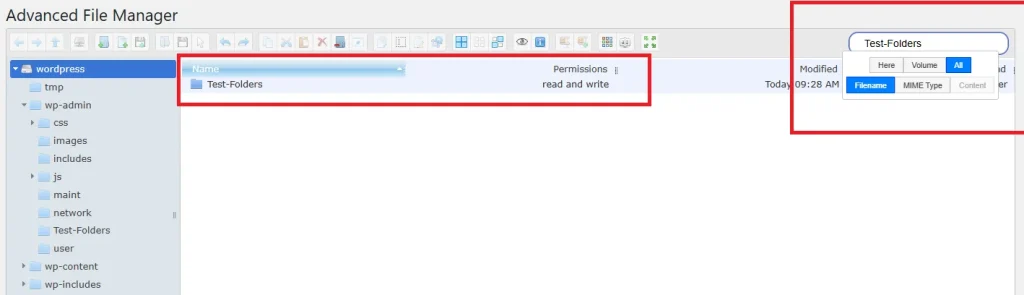
Search by Mime Type
To search for specific file types such as:
- .txt
- .php
1 .Select the Mime Type tag.
2. Choose All to search across the entire root directory
OR
3. Select a specific directory to narrow the search.
This will display all files matching the selected mime type make sure you uses the same format to search the file like in these docs.
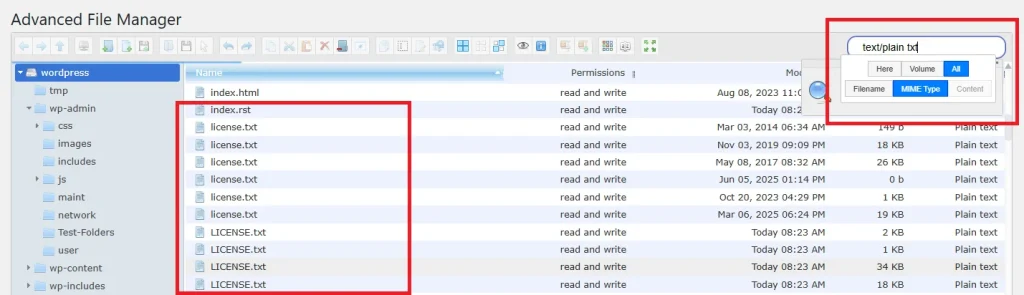
Search by Content (Content-Based Search)
To search within the actual content of files:
- Select the Content tag.
- Choose Here to search across the root directory
- Enter the keyword, phrase, or ID you want to find.
The system will return files that contain the specified content note the content will work only with the here tag.
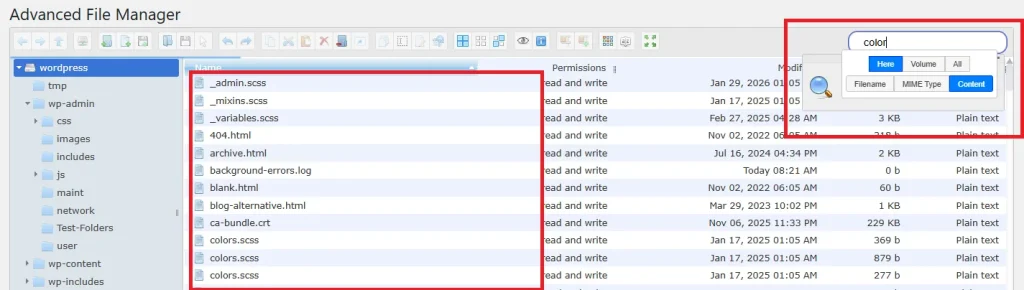
Important Note
You cannot select Content, Volume, Mime Type, and File Name tags simultaneously.
Search must be performed using one tag at a time, depending on your requirement.
Need Help?
If you encounter any issues or need assistance, feel free to contact our Support Team. We’re always ready to help you troubleshoot and ensure everything runs smoothly.
