



AI Coding Assistant
Advanced File Manager enables you to integrate AI into the editor, allowing the AI to assist with your code. You can choose to share the entire file or only specific parts with the AI.
If you haven’t yet upgraded to the Pro business plan, now’s the perfect time! Buy now to unlock this powerful feature and take your file management to the next level. Get the Advanced File Manager Plan!
Let’s Get Started
- In your WordPress dashboard, navigate to the File Manager > Integrations tab.
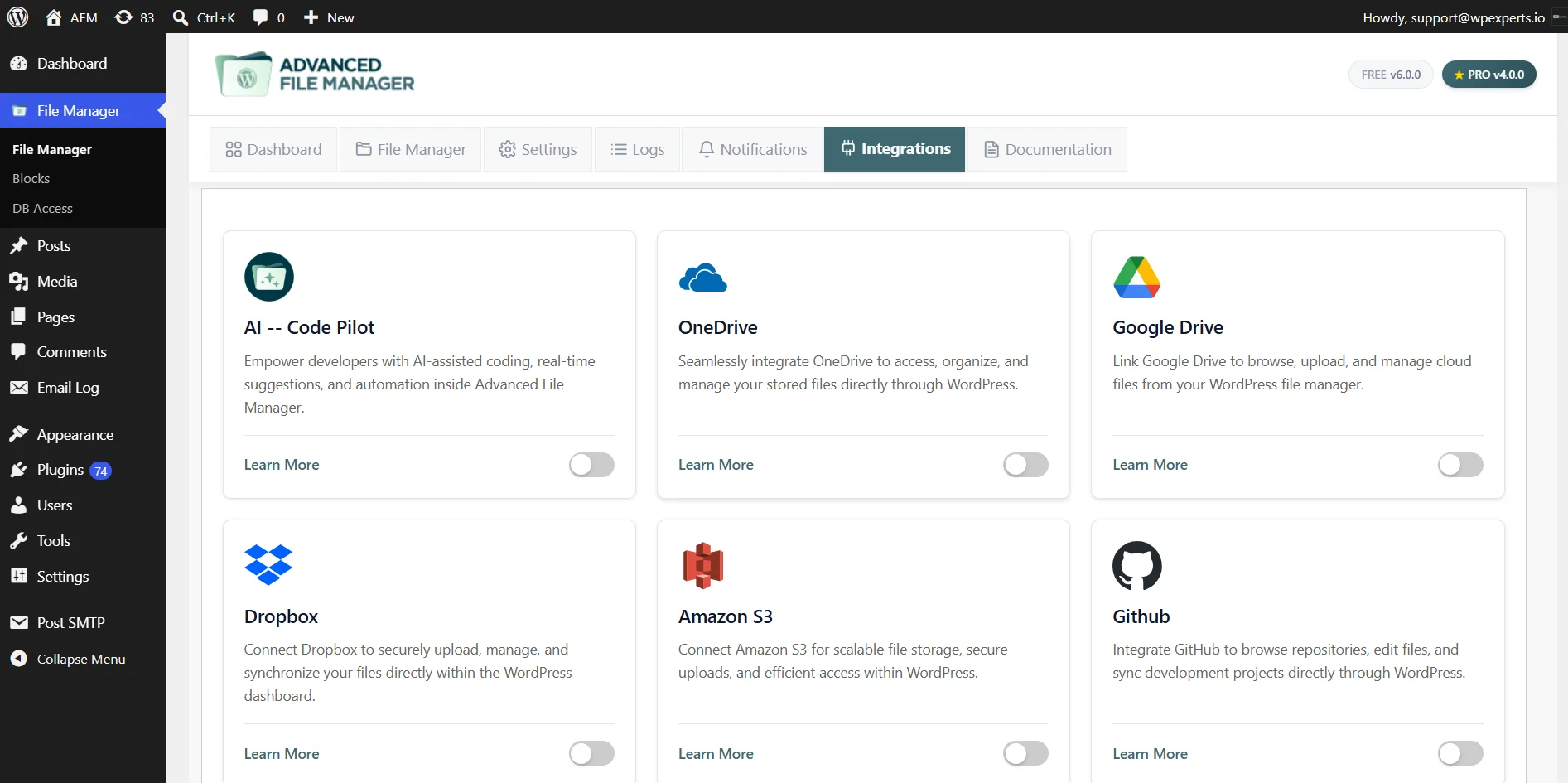
- In Integrations, locate the AI Code Pilot card and click the toggle to enable the AI Code Pilot integration.
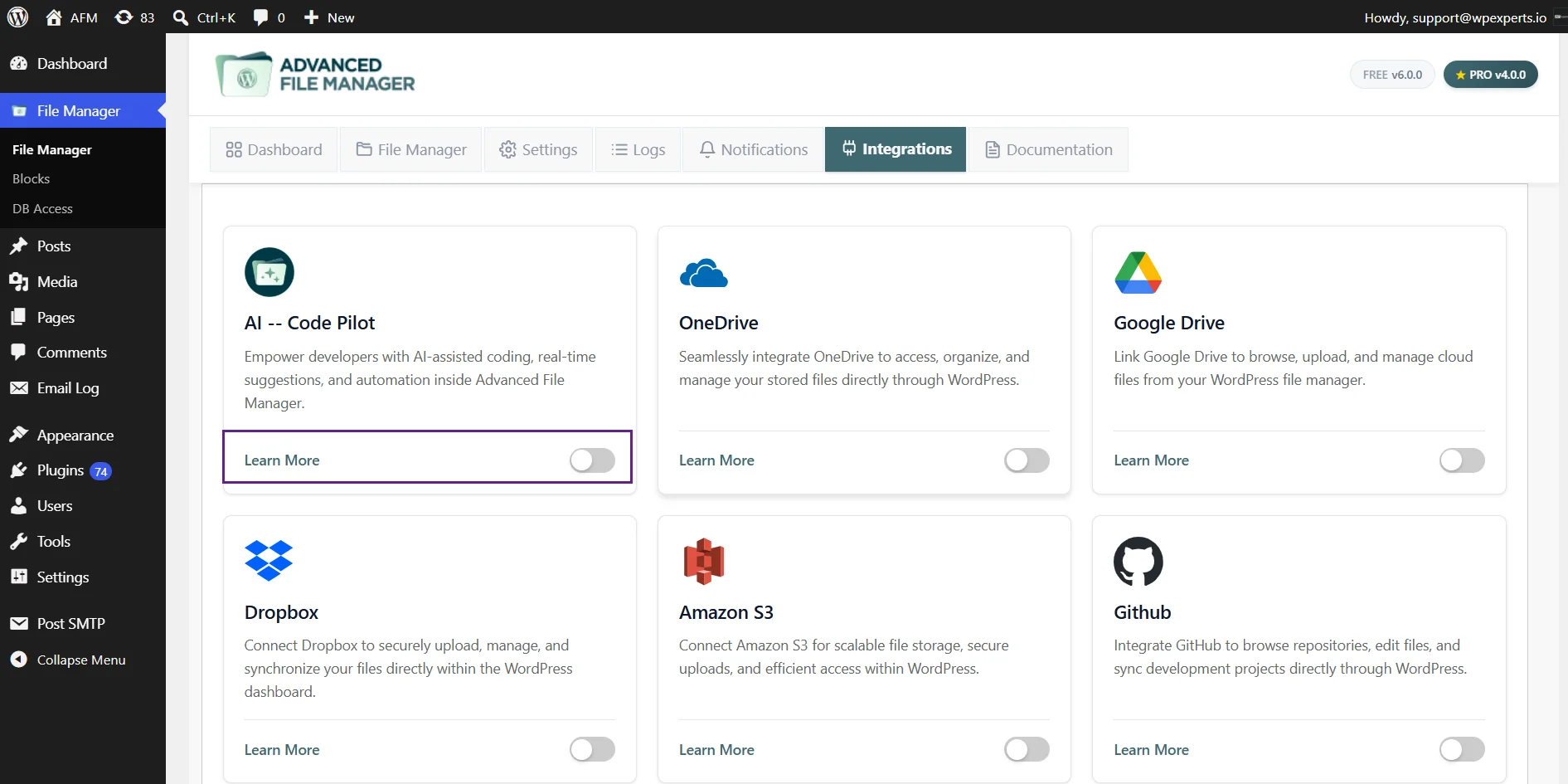
- After enabling the AI Code Pilot, click on the Settings in the AI Code Pilot card.
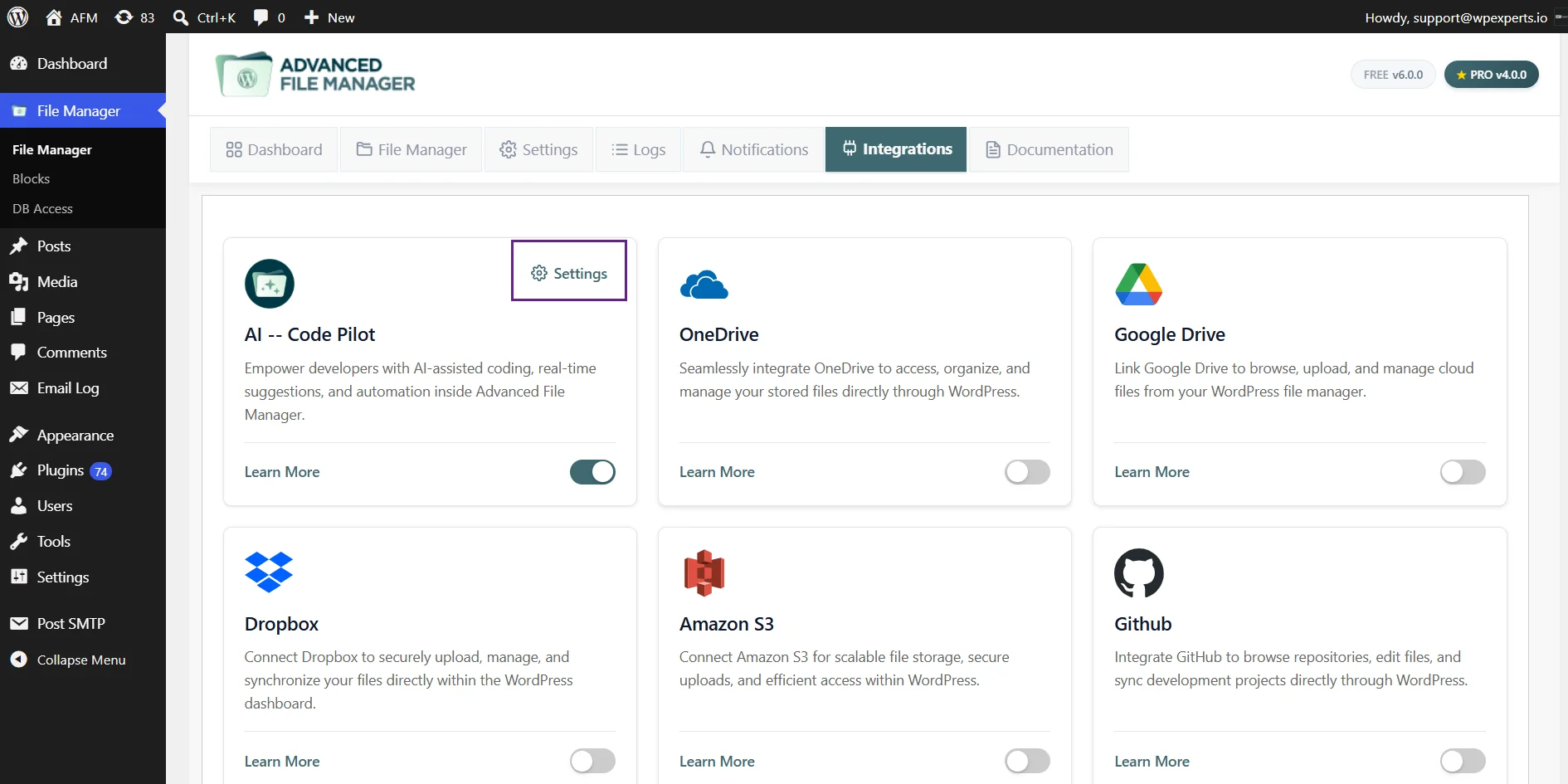
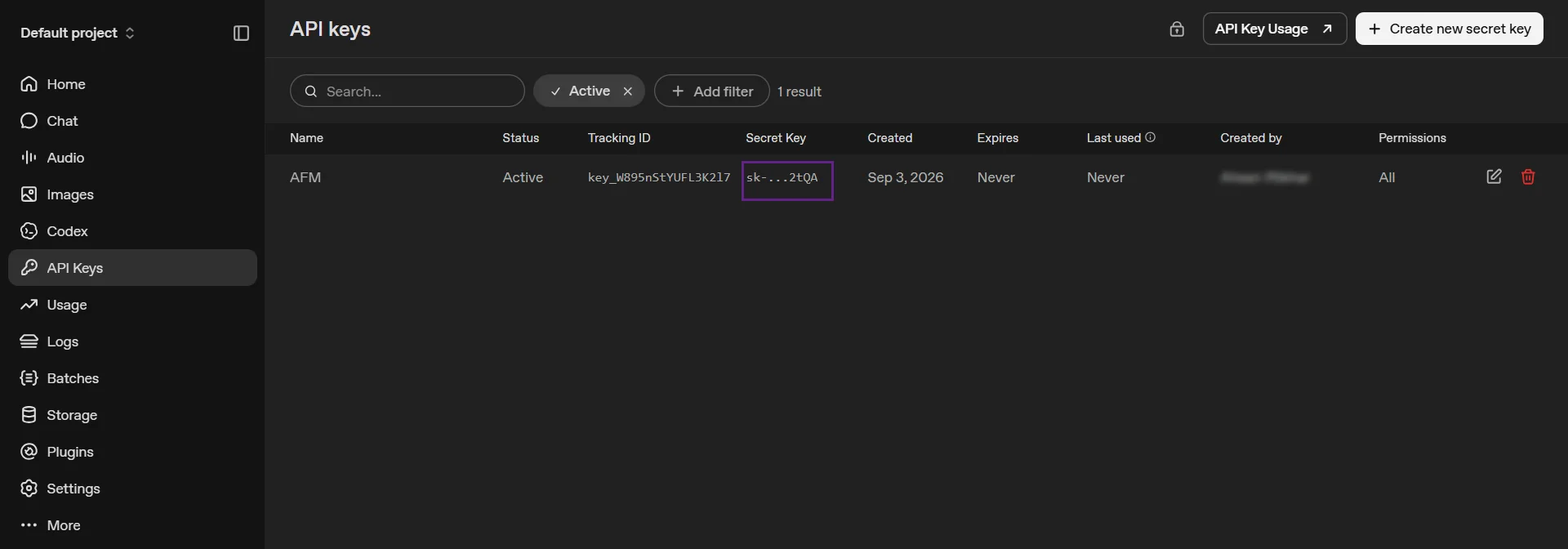
- Now, you need a GPT API Key to connect to the AI Code Pilot.
- Click on the link to get the API Key.
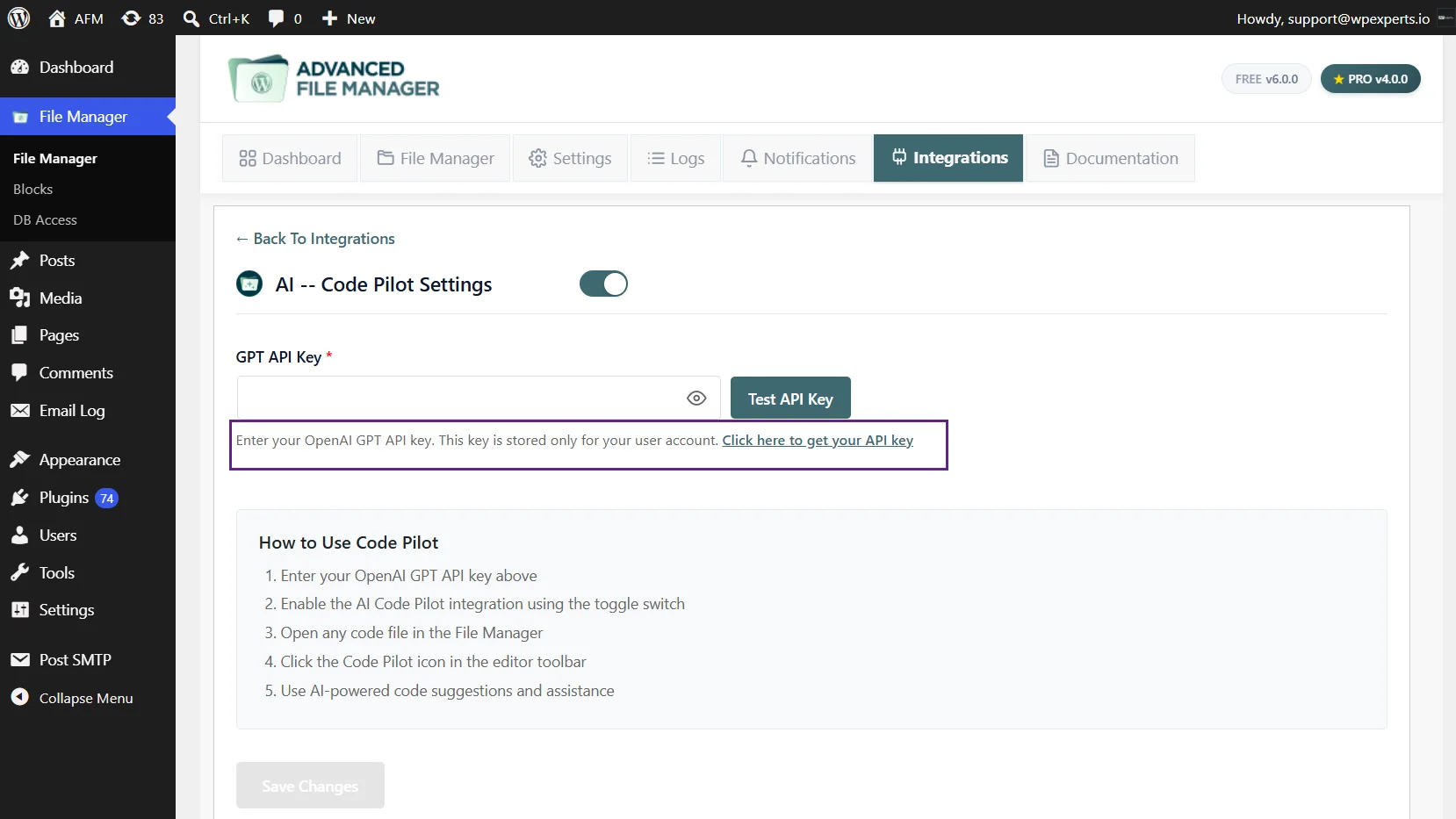
- This will redirect you to your Open AI account.
- Copy the Secret key.
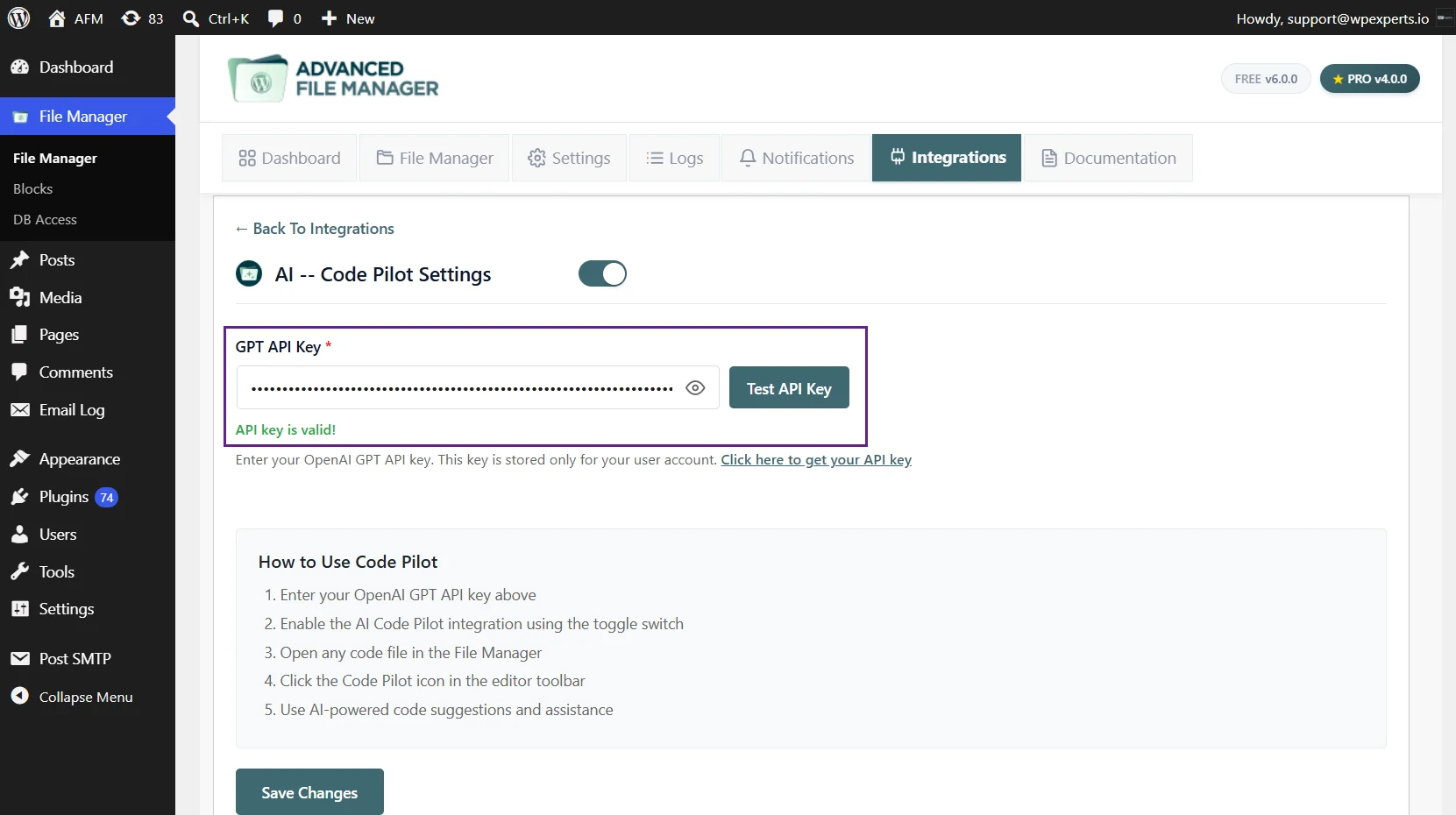
- Paste the Secret Key in GPT API Key.
- Click Test API Key to verify your key’s validity and establish a connection with it.
- Click on Save Changes.
Using AI with AFM Code Editor
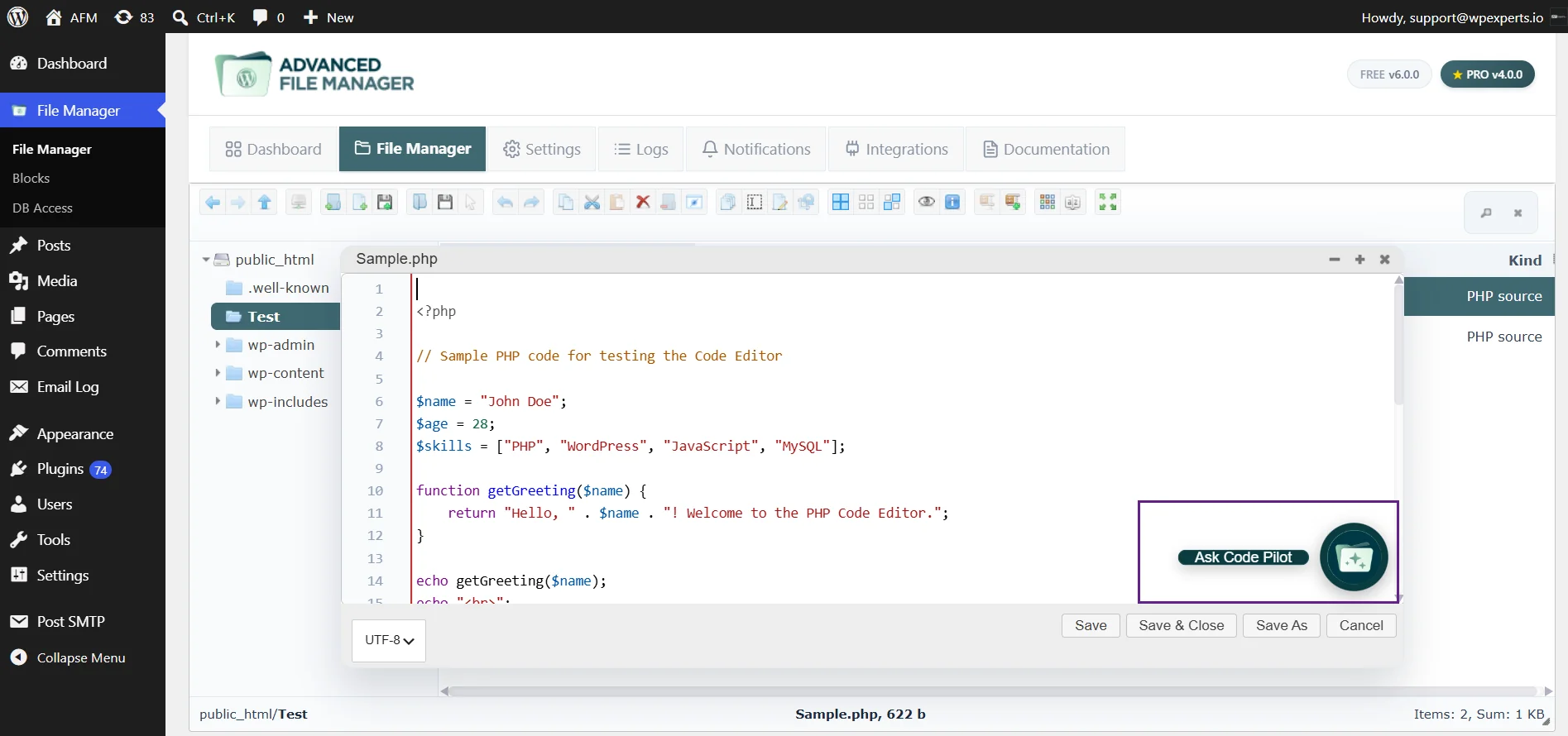
- Open any file in the Advanced File Manager editor, by right-clicking the file and selecting the code editor.
- In the code editor, click on the AFM icon.
- Enter your request in the AI Assistant and follow the provided instructions or recommendations.
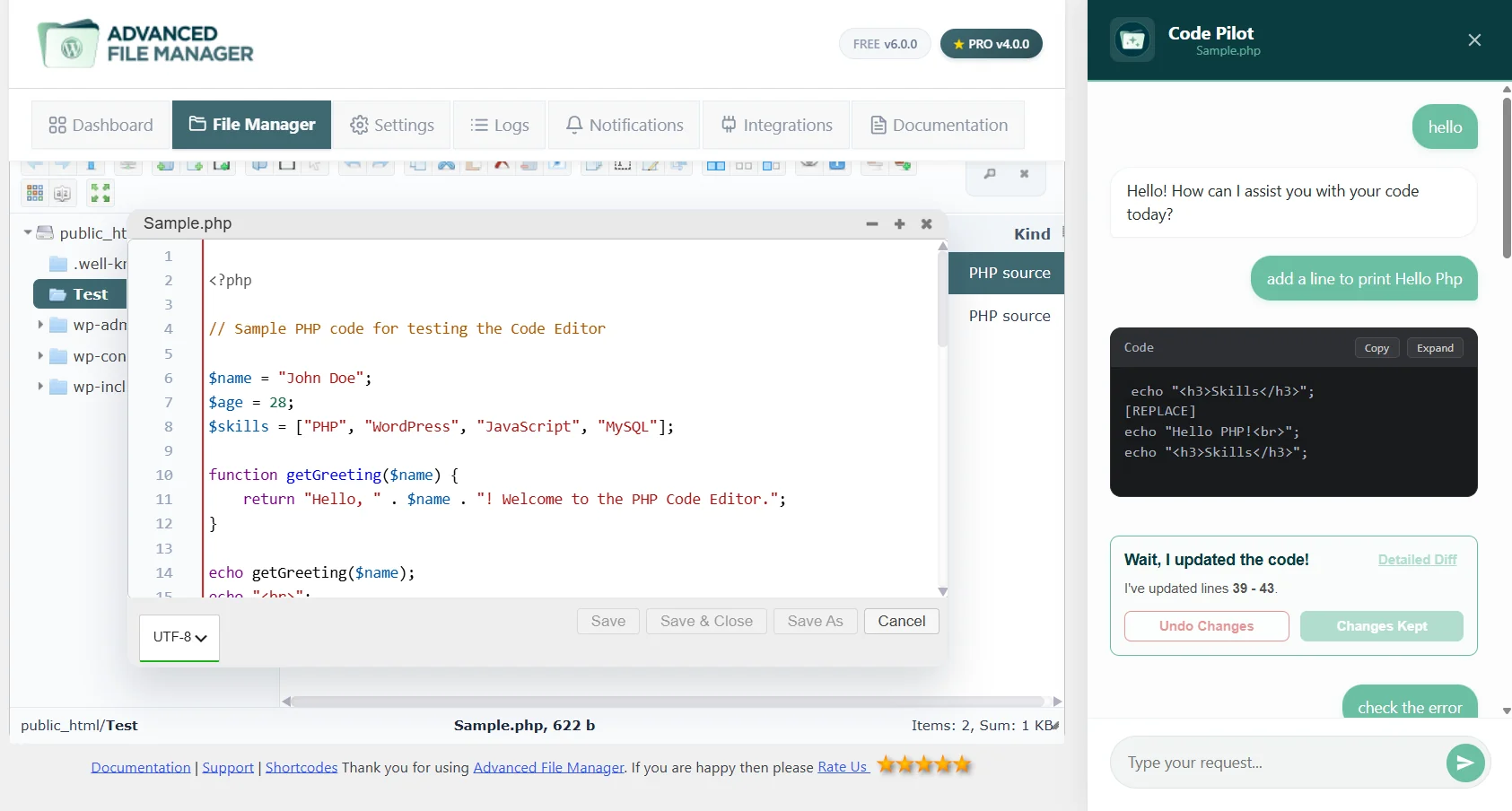
Note: The accuracy and quality of the response you receive will depend on the chatbot you are using and the prompt you provide.
Need Help?
If you’re still having trouble, feel free to contact our Support Team. We’re here to assist you with setup issues and guide you step-by-step to ensure everything works as expected. Advanced File Manager is designed to make file management easy, and we’re committed to supporting you every step of the way.
