
How to Publish Blocks
How to Publish Blocks in Advanced File Manager
Advanced File Manager provides two easy methods to display your file manager on the frontend of your WordPress website. You can either use a shortcode or the Gutenberg Block.
Below is a complete guide for both methods.
Before using the shortcode, make sure you have completed the blocks configuration settings. You can follow the full guide here.
1. Display Using Shortcode
Advanced File Manager allows you to generate a shortcode that can be placed inside any post or page.
To display via shortcodes, follow the steps below:
Step 1 : Configure Your Shortcode
Once your configuration is complete, a shortcode will be automatically generated for you.
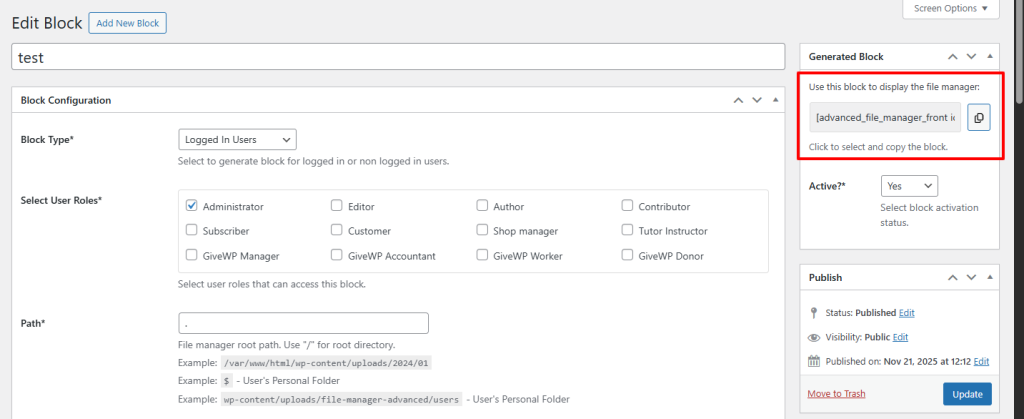
Step 2: Add the Shortcode to a Post or Page
1. Copy the generated shortcode from the Advanced File Manager settings.
2. Go to WordPress Dashboard → Posts / Pages → Add New.
3. In the WordPress editor search bar, type “Shortcode”.
4. Select the Shortcode Block.
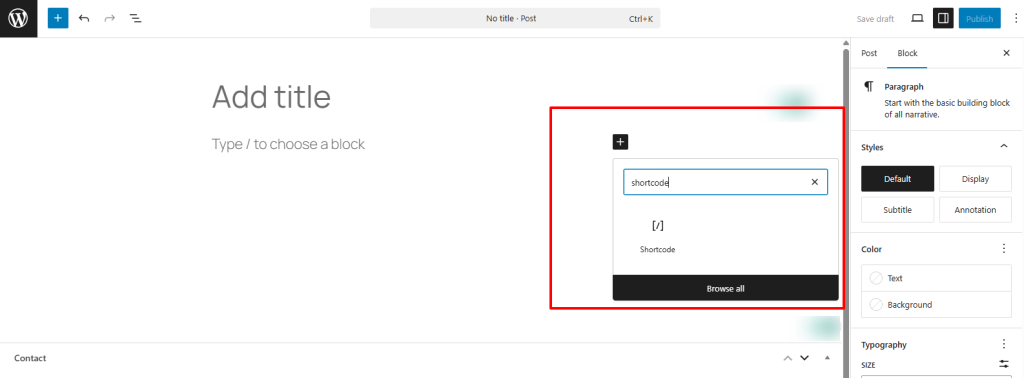
5. Paste the copied shortcode into the block.
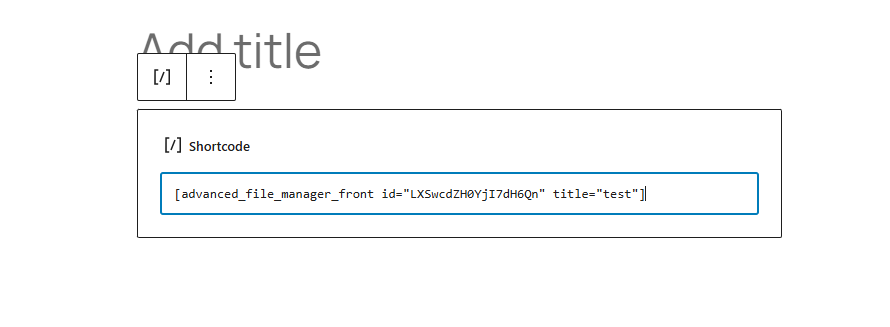
6. Publish the post or page.
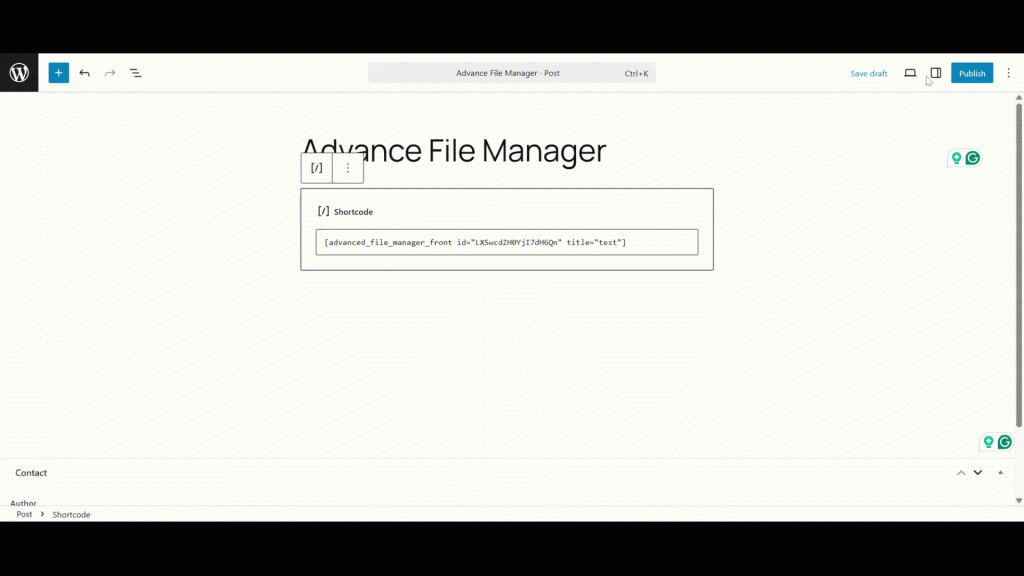
Your Advanced File Manager shortcode will now display on the frontend.
Manage Shortcode Status
You can manage the shortcode’s status from the settings panel:
- Deactivate
- Activate
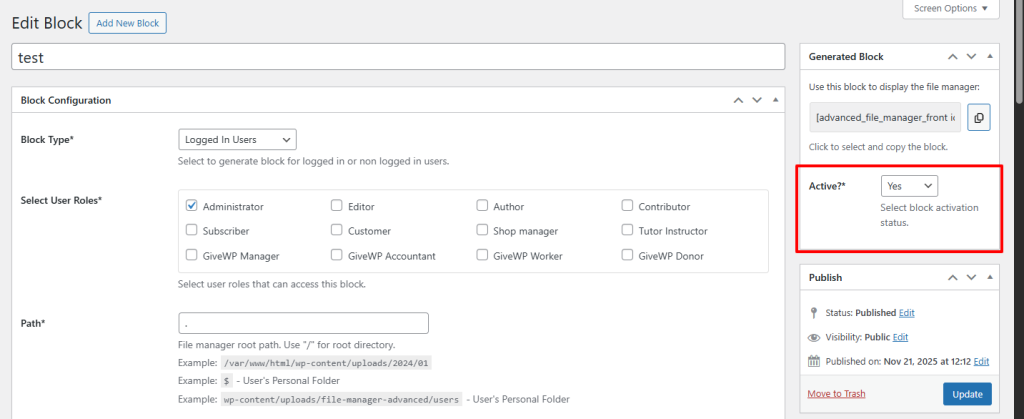
This allows you to control whether the shortcode is visible on the frontend without removing it from your content.
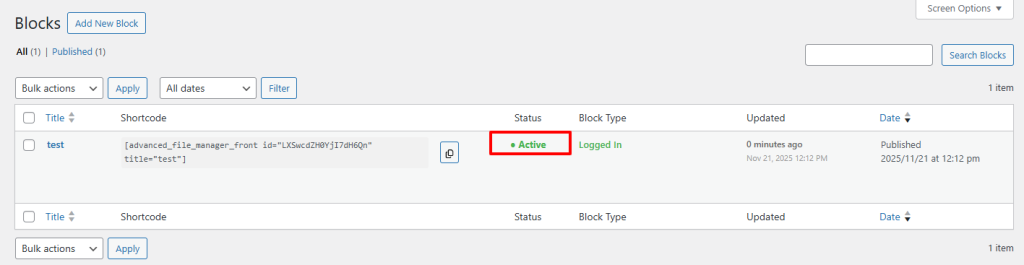
2. Display Using Gutenberg Block
Advanced File Manager includes full support for Gutenberg blocks, making it even easier to insert file manager views.
Step 1: Add the AFM Block
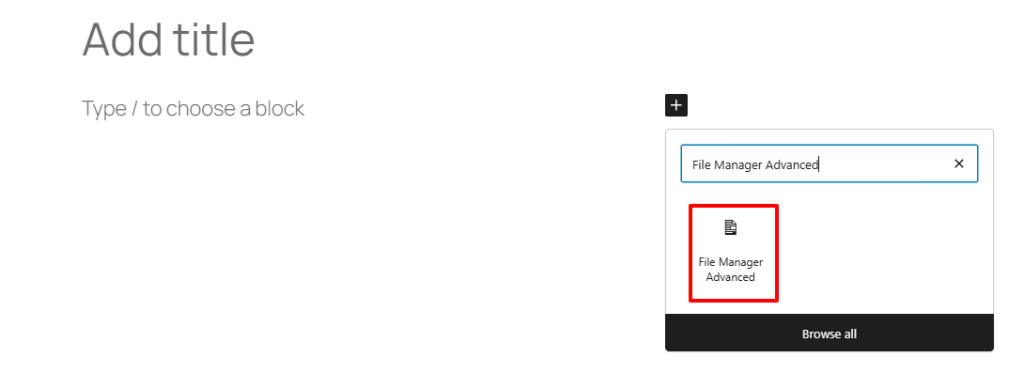
1. Open the Gutenberg editor in any post or page.
2. Click the “+” Add Block button.
3. Search for “File Manager Advanced”.
4. Choose your desired AFM block.
Step 2: Configure the Block
Once inserted, select the specific shortcode/block you want to display.
You can then configure additional settings such as:
- Block layout
- Padding
- Display preferences
Adjust according to your requirements.
Step 3: Publish
After configuring the block, click Publish (or Update for existing posts).
Your AFM block will now appear on the frontend without needing to paste shortcodes manually.
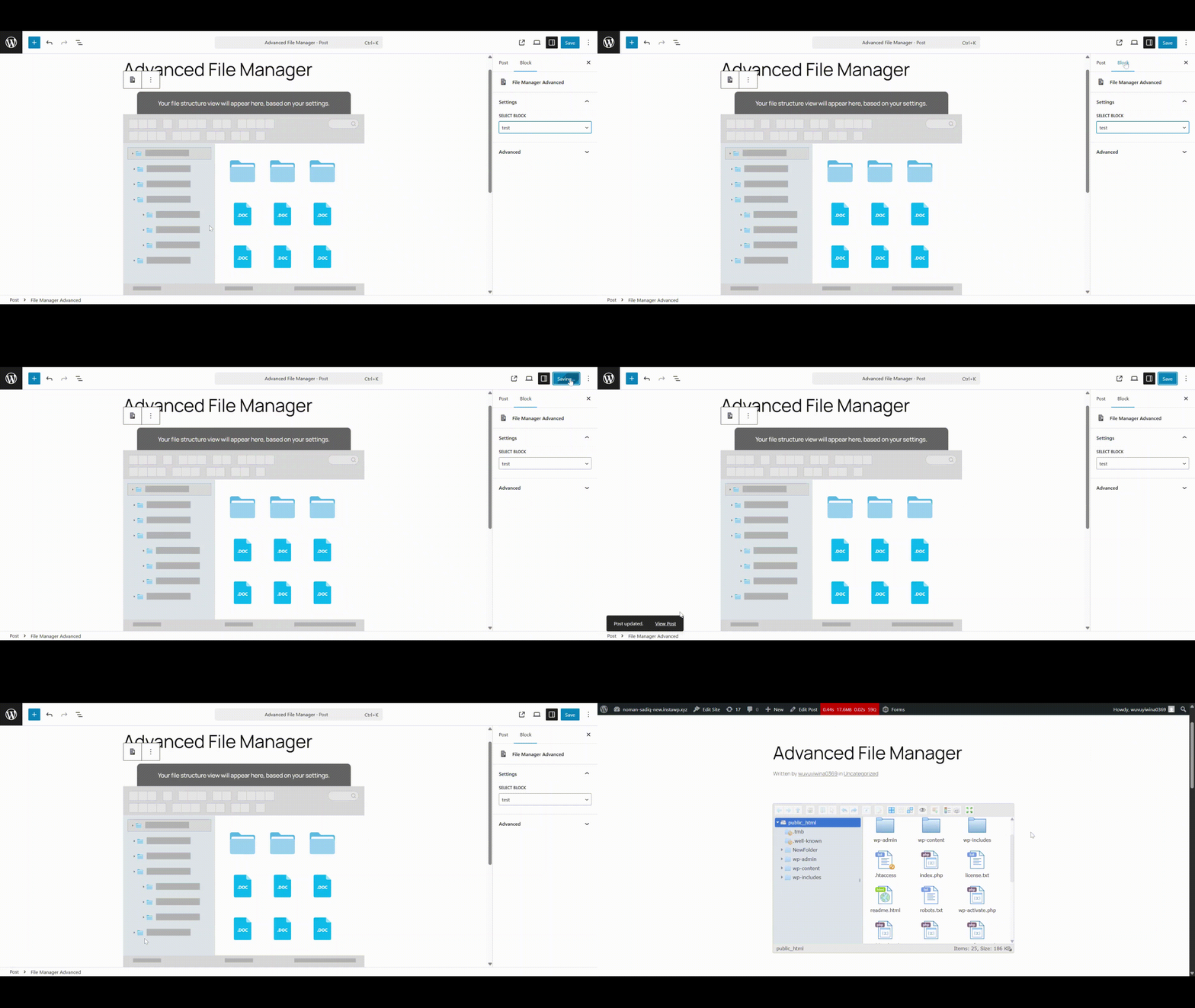
You can use either of the above methods Shortcode or Gutenberg Block—to display your configured Advanced File Manager layout on the frontend. Both approaches are easy to use and fully supported, allowing you to integrate your file manager exactly the way you prefer.
Need help?
If you encounter any issues or need further assistance, don’t hesitate to contact our Support Team. Our experts are always ready to help troubleshoot any problems and provide quick, effective solutions. We take great pride in offering exceptional support and ensuring your experience with Advanced File Manager is smooth, reliable, and hassle-free.
