If you design pages in Elementor or Divi and want your file manager visible on the frontend.
The old workflow forced you to hunt for shortcodes. You left the page editor, opened plugin settings, and copied a text string. This way, you lost visual context, and that friction slowed your builds.
We solved that exact problem today.
Advanced File Manager Pro v3.8.0 brings native integration with Elementor and Divi.
Now you can display your file manager blocks directly on your website frontend using your favorite page builder.
Let’s take a closer look.
What’s New in Advanced File Manager Pro 3.8.0?
This release focuses on one powerful improvement:
- Elementor Integration – Add file manager blocks with a drag and drop widget
- Divi Integration – Embed file manager blocks inside your Divi layouts
This update changes how you present and manage files on your website.
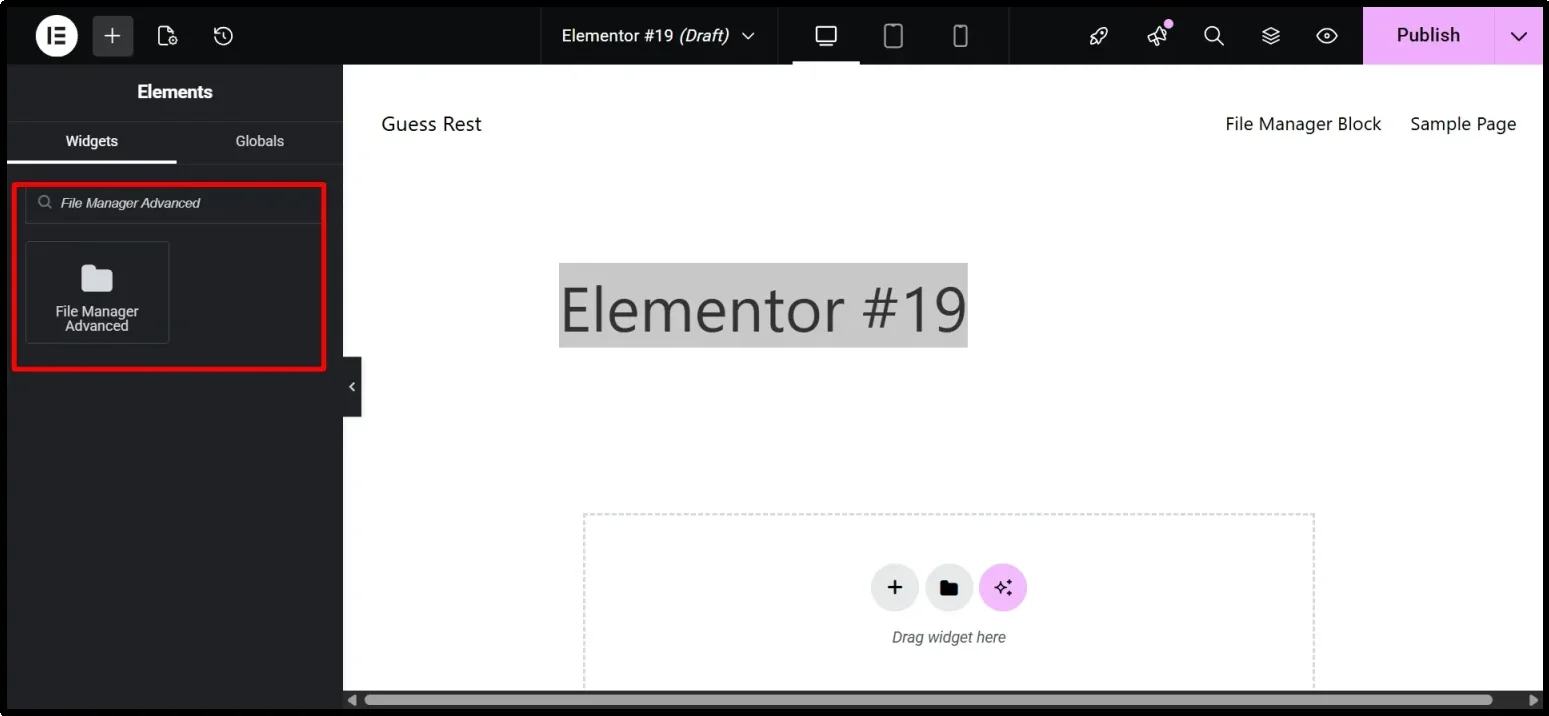
How to Embed Your File Manager in Elementor
Open your target page in Elementor. Search the left panel for File Manager Advanced. Drag the widget onto your layout. Select your prebuilt block from the dropdown menu. Adjust display settings if needed.
Click Publish. Your file manager renders on the frontend immediately.
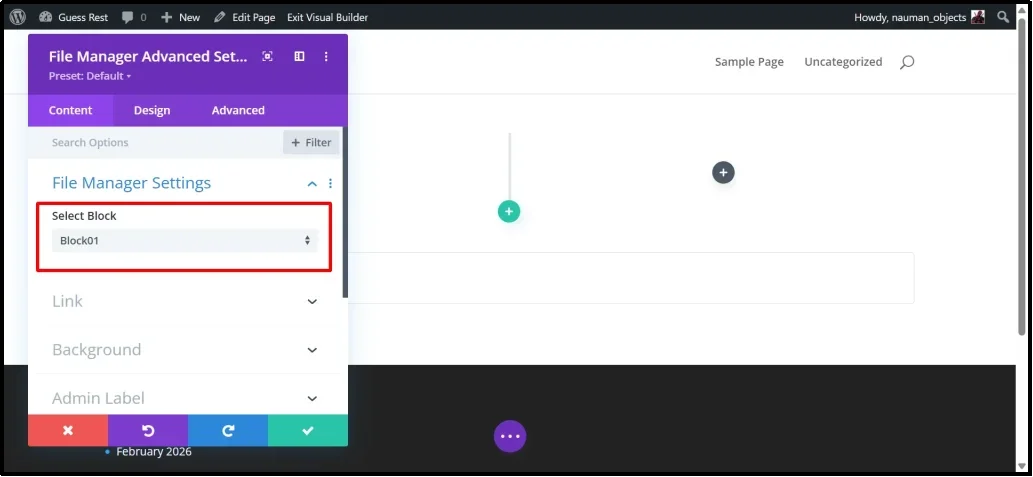
How to Embed Your File Manager in Divi
Launch the Divi Builder on your page. Click Add New Module. Search for File Manager Advanced. Insert the module into your layout. Choose your target block from the list. Tweak styling options to match your design.
Save and Publish. Your file manager appears exactly where you placed it.
For more details, check out our step-by-step documentation.
Why This Integration Changes Your Workflow
Shortcodes break when you switch builders, and manual embedding creates extra clicks. This update removes those friction points. You keep your drag-and-drop workflow, maintain full layout control, and deploy document libraries faster.
The integration respects your existing configurations. You set permissions, file rules, and view limits once. The Divi and Elementor modules simply display your setup. When you edit block settings in one place. The frontend reflects every change automatically.
Ready to Upgrade Your Workflow?
Advanced File Manager Pro v3.8.0 is live now.
Update your plugin directly from your WordPress dashboard and start using Elementor or Divi integration right away.
No extra configuration required. Just select your block and publish.
If you are using the free version, then feel free to upgrade with 14-days money-back guarantee. Thank you for choosing Advanced File Manager.