Are you looking for a simpler way to embed your WordPress file manager in Gutenberg?
We have an exciting new update for all our Advanced File Manager Pro users! We are always working to make your file management experience easier and more powerful.
With the release of version 3.6.0, we are thrilled to introduce a major revamp to one of our key features.
Get ready for a much smoother and modern way to embed the file manager on your WordPress posts and pages.
Meet the New Dedicated Gutenberg Block Feature!
In earlier versions of Advanced File Manager Pro, you could create custom document libraries by defining rules (like who can upload or download files). This would then generate a shortcode, which is a small, special code snippet that you have to copy and paste into the Gutenberg editor to embed the file manager.
Now, this feature has been renamed to Block! We have fully embraced the modern WordPress block editor. When you open the new Block tab, you can still define all your desired settings and rules, just as before.
The only difference is that, instead of adding shortcodes directly into the post or page, you can now use the dedicated Gutenberg block that makes placement visual and straightforward.
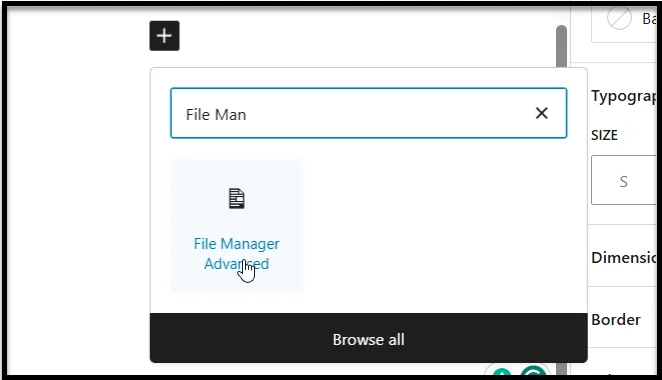
Shortcode vs. Gutenberg Block: What’s the Difference?
This is a significant improvement to make your life management much easier. Here is a quick comparison of the old way versus the new way:
| Feature Aspect | Old Way (Shortcode) | New Way (Block) |
| Name | Shortcode | Block |
| Embedding Method | Copy and paste a shortcode into the post or page. | Use the dedicated Gutenberg block effortlessly in the editor. |
| User Experience | Less visual; required copying and pasting. | More intuitive and visual; drag-and-drop easy. |
Explore the Power of Advanced File Manager Pro!
The new Block feature is just one way we are improving the plugin. Advanced File Manager Pro is packed with features to manage your files, documents, and media right from your WordPress dashboard.
You can enjoy amazing features like:
- User Roles & Permissions: Control who sees and manages which files based on their user role.
- Cloud Integrations: Connect your favorite cloud services (like Google Drive, Amazon S3, and more) for easy access.
- File Sharing: Securely share files and folders with external links.
- Path Privacy Protection: Hide the real file paths to prevent tampering or unauthorized access.
- Operations Control for Users: Limit which file actions users can take—add, remove, rename, view, etc.
- Beautiful Themes: Choose from a variety of themes to customize the look.
- Advanced File Search and Sorting: Search, filter, and sort files by name, type, size, date, or permission in the snap of a finger.
- Role-Based & User-Specific Access: Restrict file access by user role or assign personalized file permissions to ensure secure, customized management.
- Private & Public Folder Access: Set up private folders for specific users or allow public access for document sharing while maintaining security.
If you are using the Pro version, then simply update it to the latest version. For those still using the free version, upgrade to Advanced File Manager Pro today to experience the simple power of the new Block feature and many more tools designed to save you time.